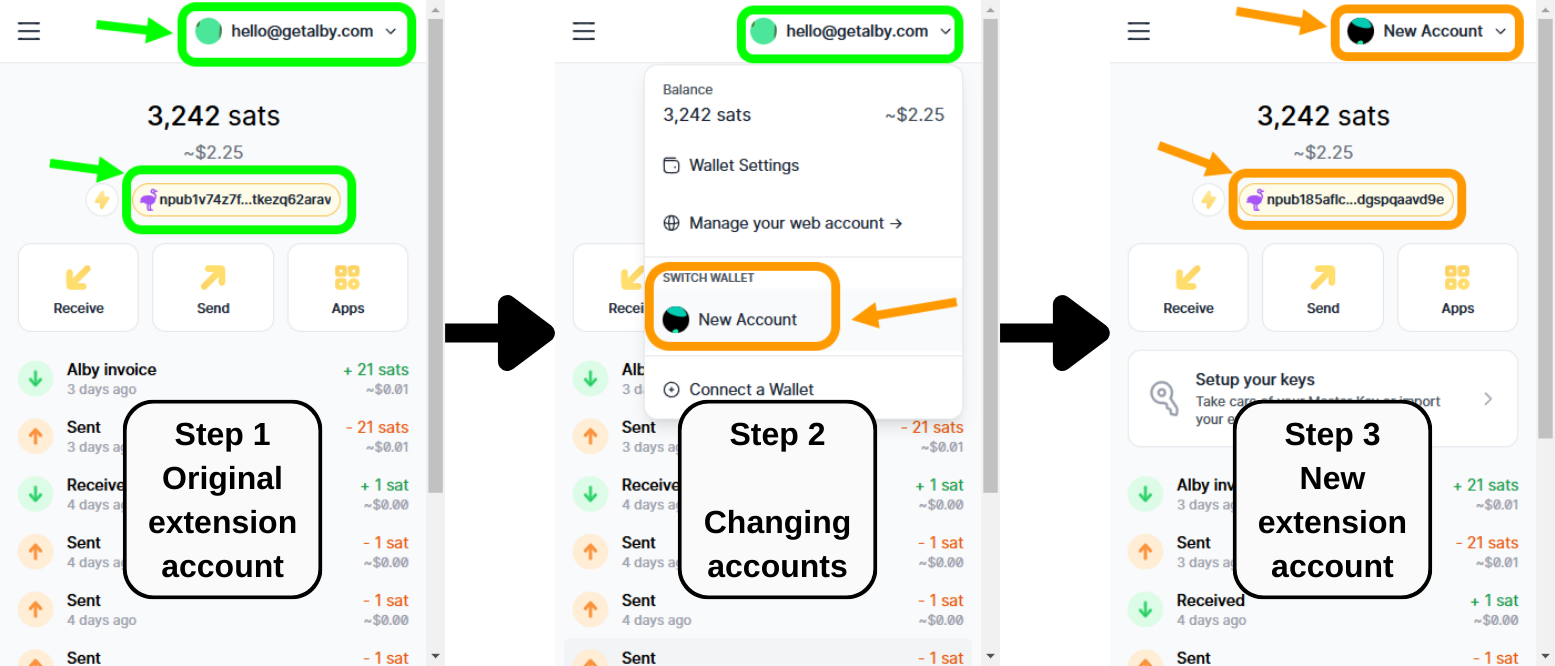
I lost my Nostr ID when making a new account
These are the steps taken to encounter this problem

Recovering the Nostr keys from the Original account and placing those into the New account.
Case 1. Your Nostr keys were originated from the Master Key of your Original Account
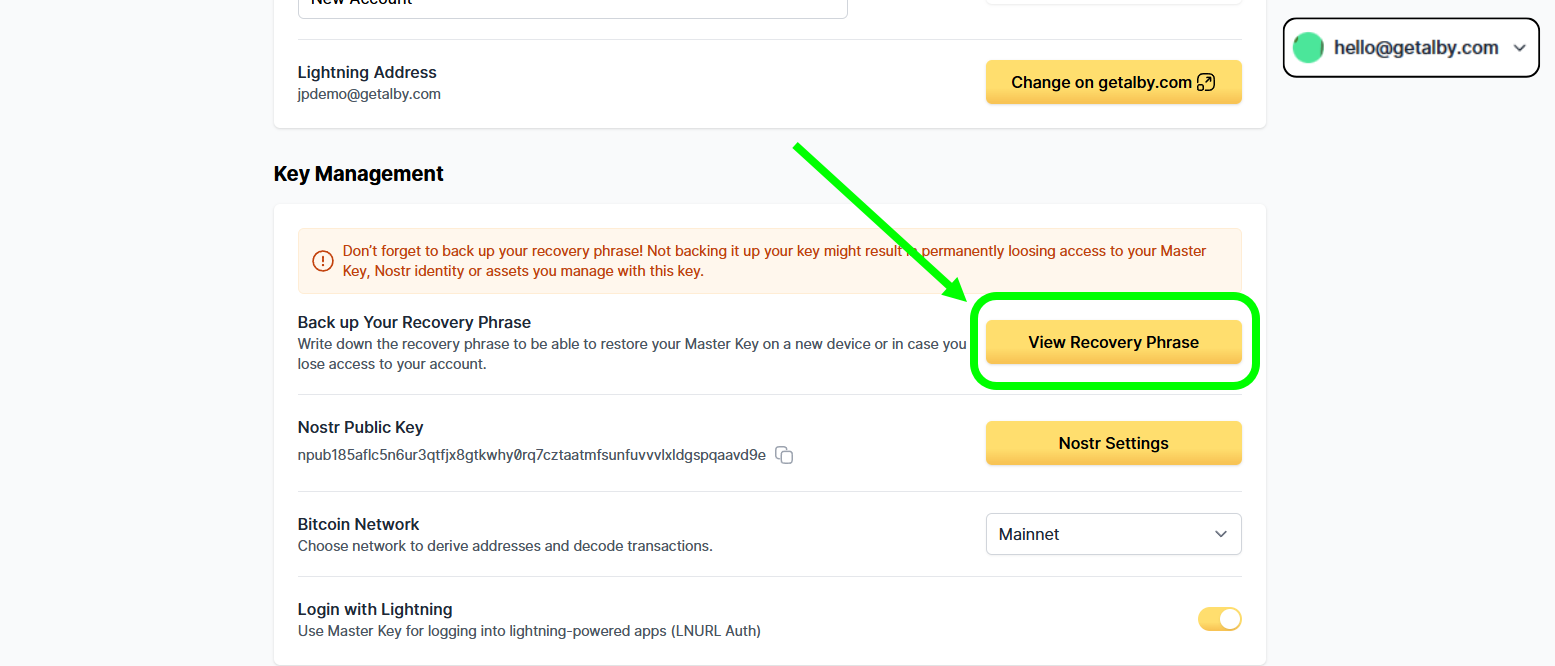
Step 1. Log into your Original Account. Copy the Master keys of your original account

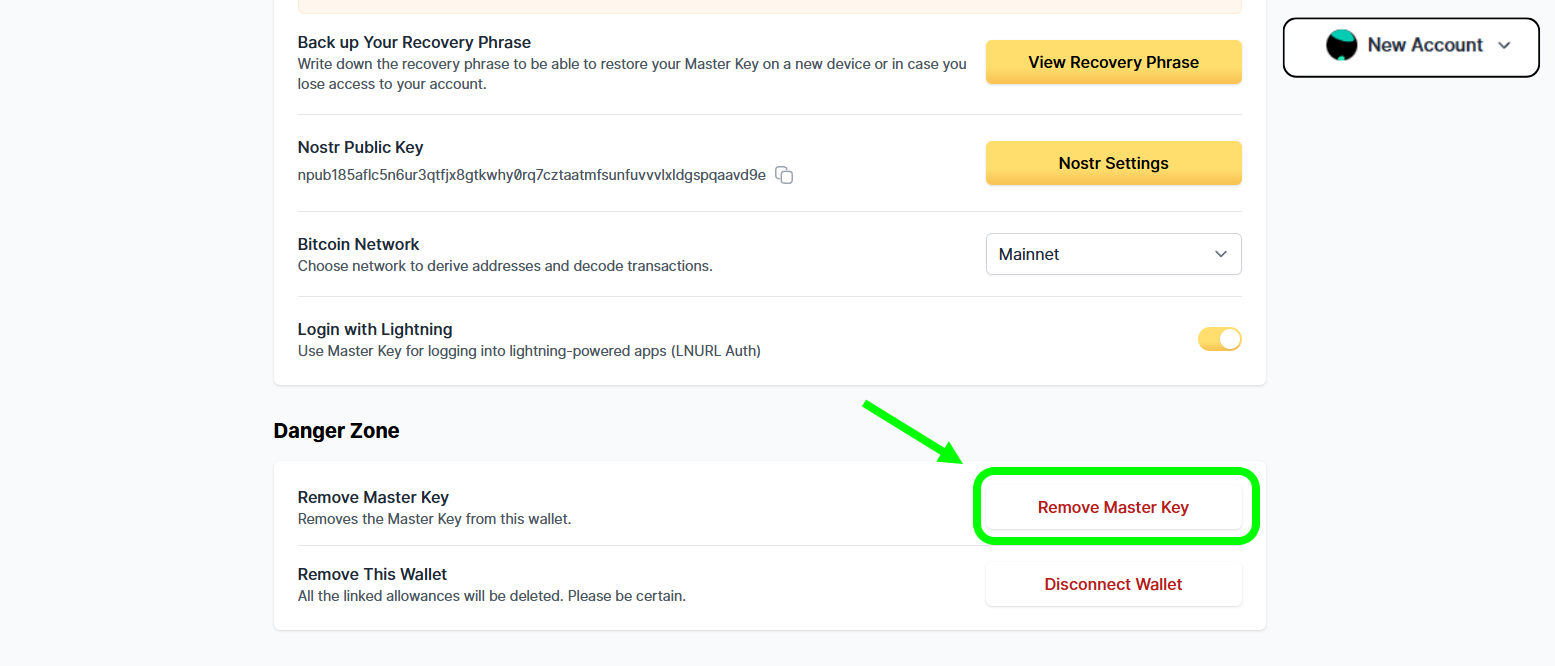
Step 2. Log into the New account. Erase its current Master Keys

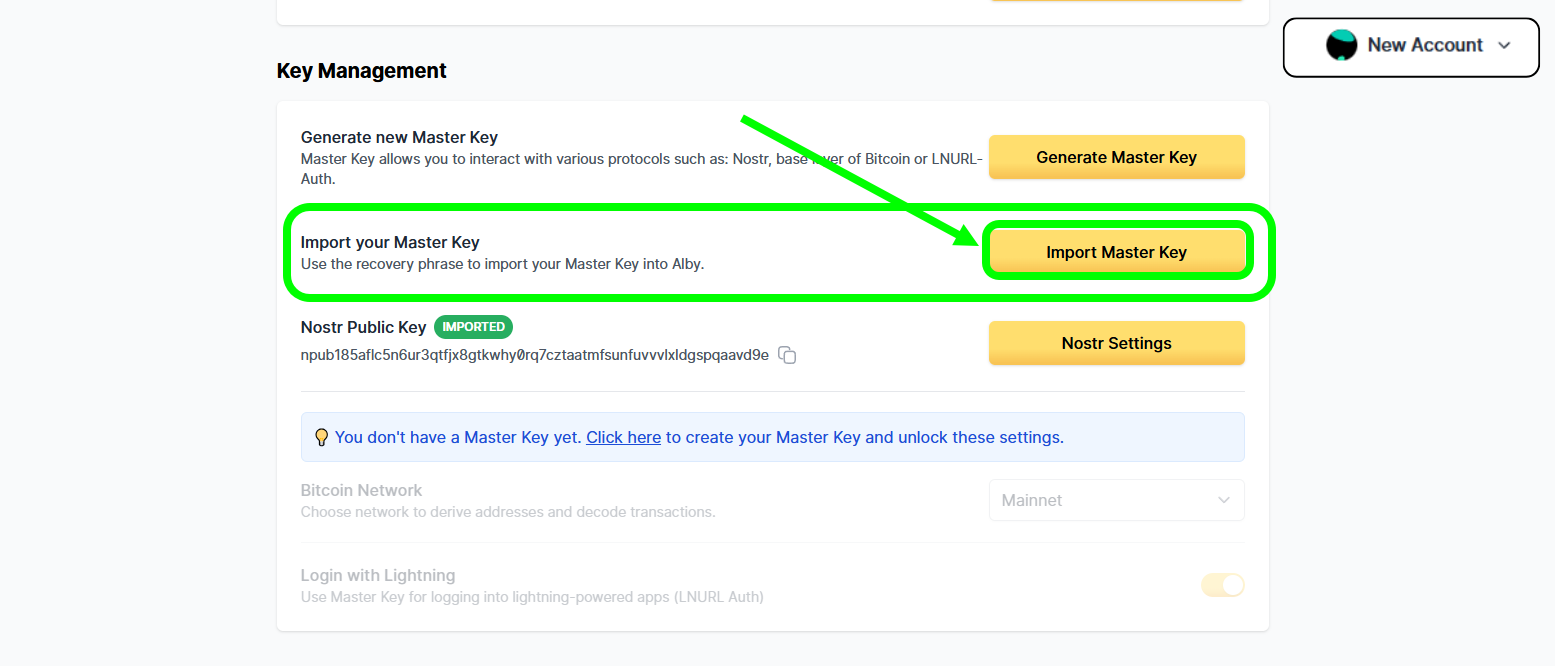
Step 3. Import the Master keys from the Original Account into the New Account

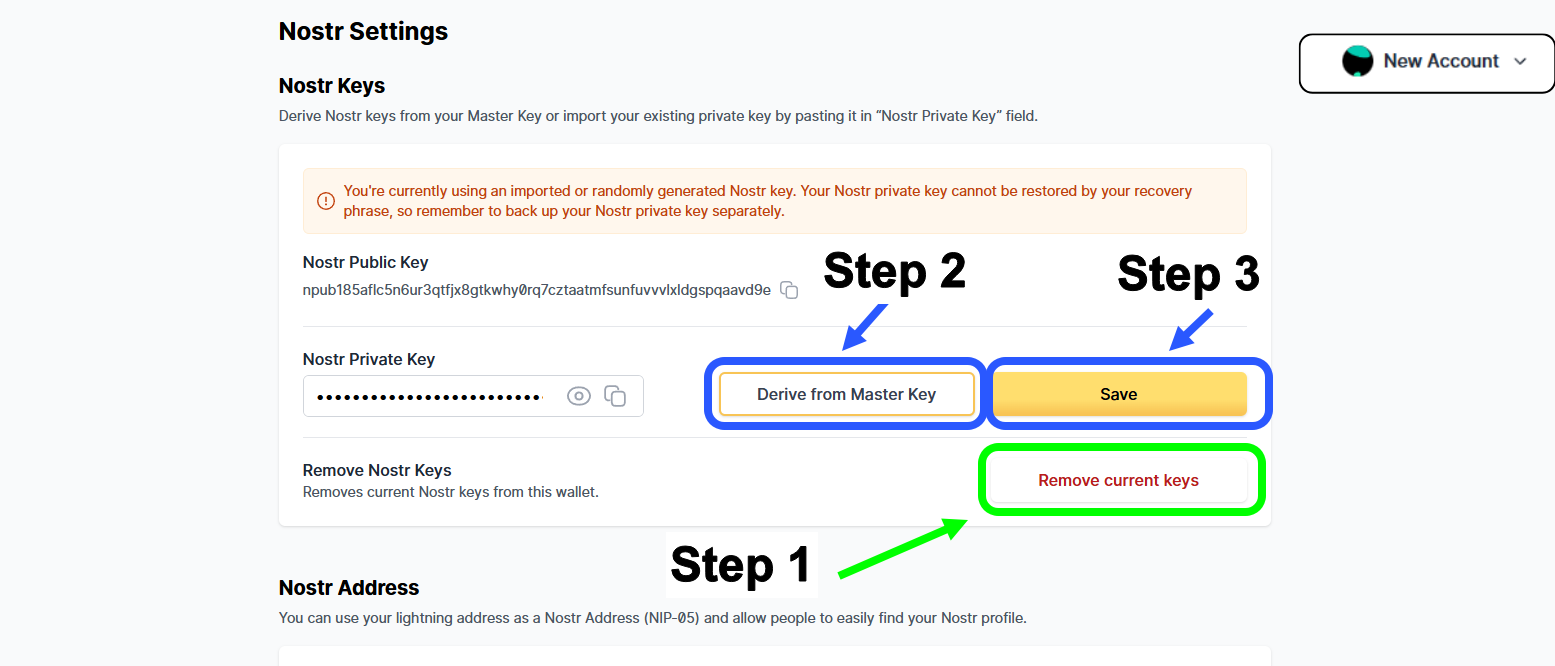
Step 4. Erase previous Nostr Keys, then "Derive Nostr Keys from current Master Key"

Congratulations!
Case 2. Your Nostr keys were backed up, and you need to re import them
Step 1. (If you do not have the backup of your Nostr Nsec Keys). Log into your Original Account to copy them.

Step 2. Go to Nostr Setting, "Remove current keys", and then paste the Original Nostr Nsec keys and click on "Save".

Congratulations
Was this helpful?