How can I close a channel? What happens to the bitcoin in this channel?

Master your channels like a pro and keep your bitcoin safe! 💼

While the channel is open, you will be able to send and receive bitcoin with anyone on the lightning network. You can have more than one channel. And just as you can open channels, you can also close them at will.

1 . Reasons for closing a channel 2. Close a channel 3. So, where are my bitcoin?


Reasons for closing a channel

Stay in control of your channels and keep your Alby Hub self-custodial wallet in good shape! 💪

You may occasionally want to close a channel to keep your Alby Hub self-custodial wallet in good shape.

Here are some common reasons to do so:

  • You accidentally opened a public channel, and it’s interfering with your private channels. Closing it can help restore normal functionality.

  • You opened a channel (public or private) with a peer who has lost access to their node and asked you to close it so both of you can recover funds on-chain.

  • You need funds in your on-chain balance and want to close a channel to access them.

  • You want to optimize or reduce routing fees by selecting more cost-efficient channel partners. With Alby Hub, you’re in full control of your routing strategy.

  • Any other situation where closing a channel better fits your setup or needs.


How to close a channel

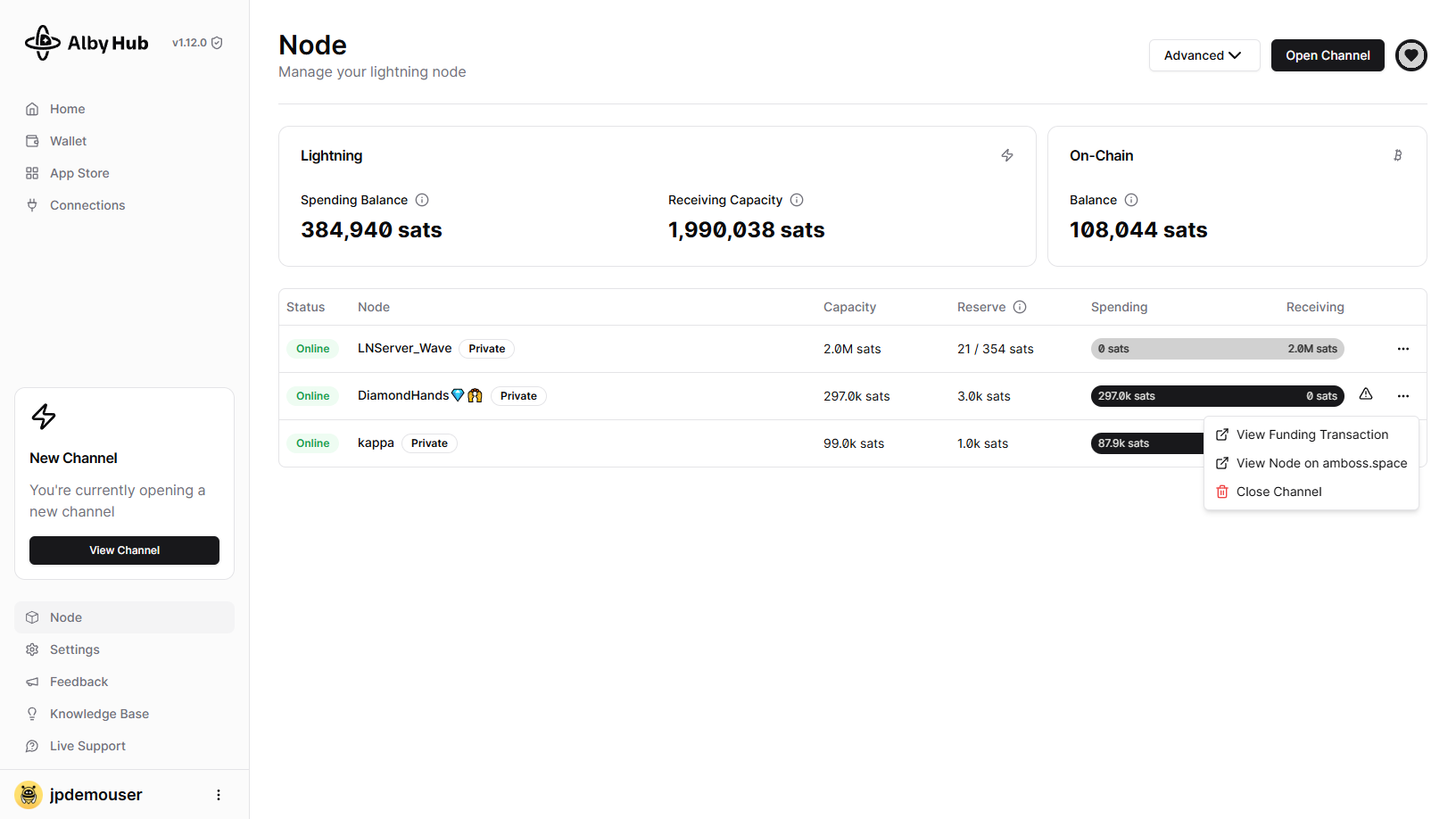
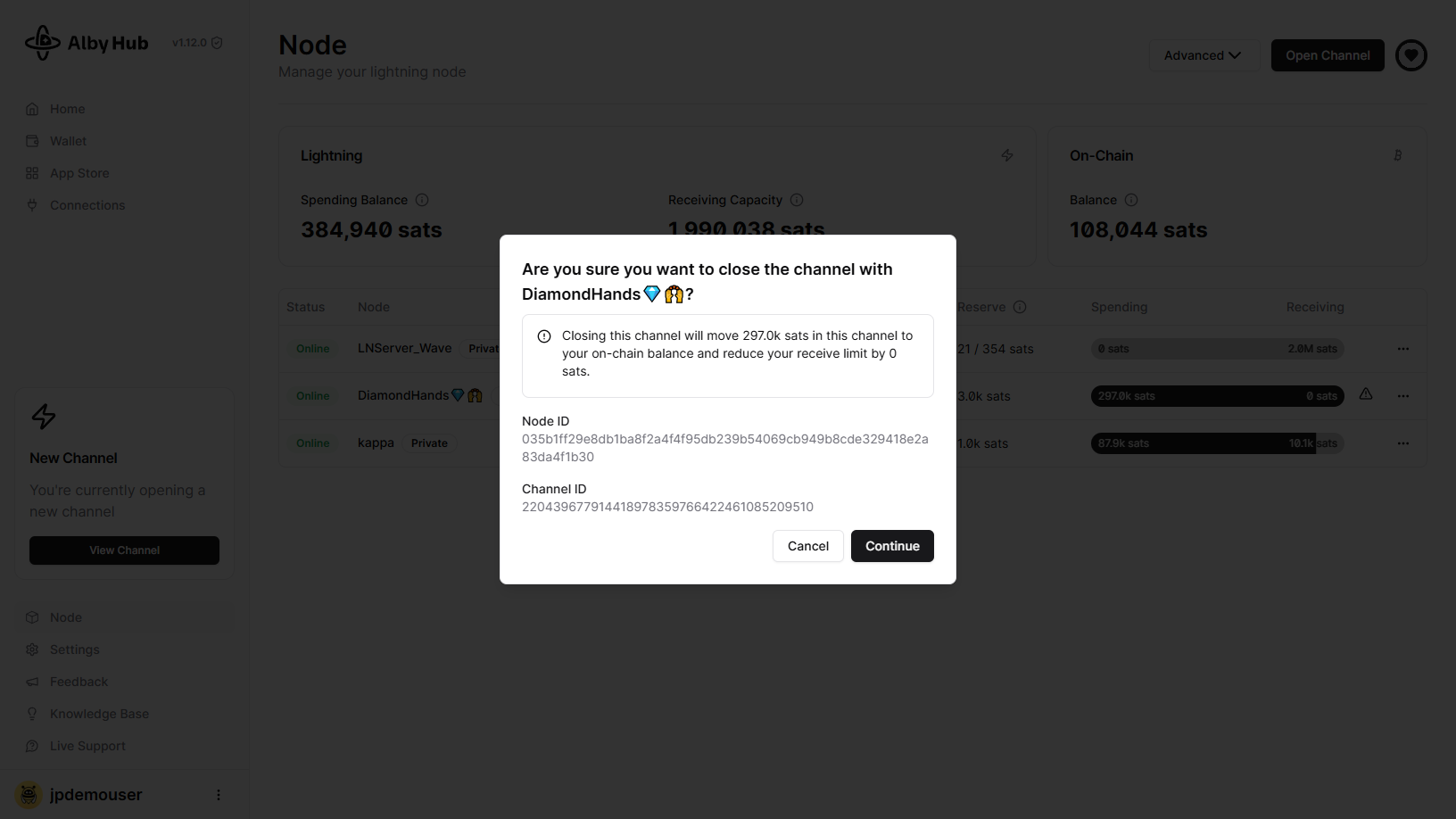
In the “Node” section, click the three dots next to the channel and select “Close Channel.” A popup will appear with a warning and details about the peer you opened the channel with. Review the information, then click “OK.”

triangle-exclamation
All your channels are available in the "Node" section of your Alby Hub.
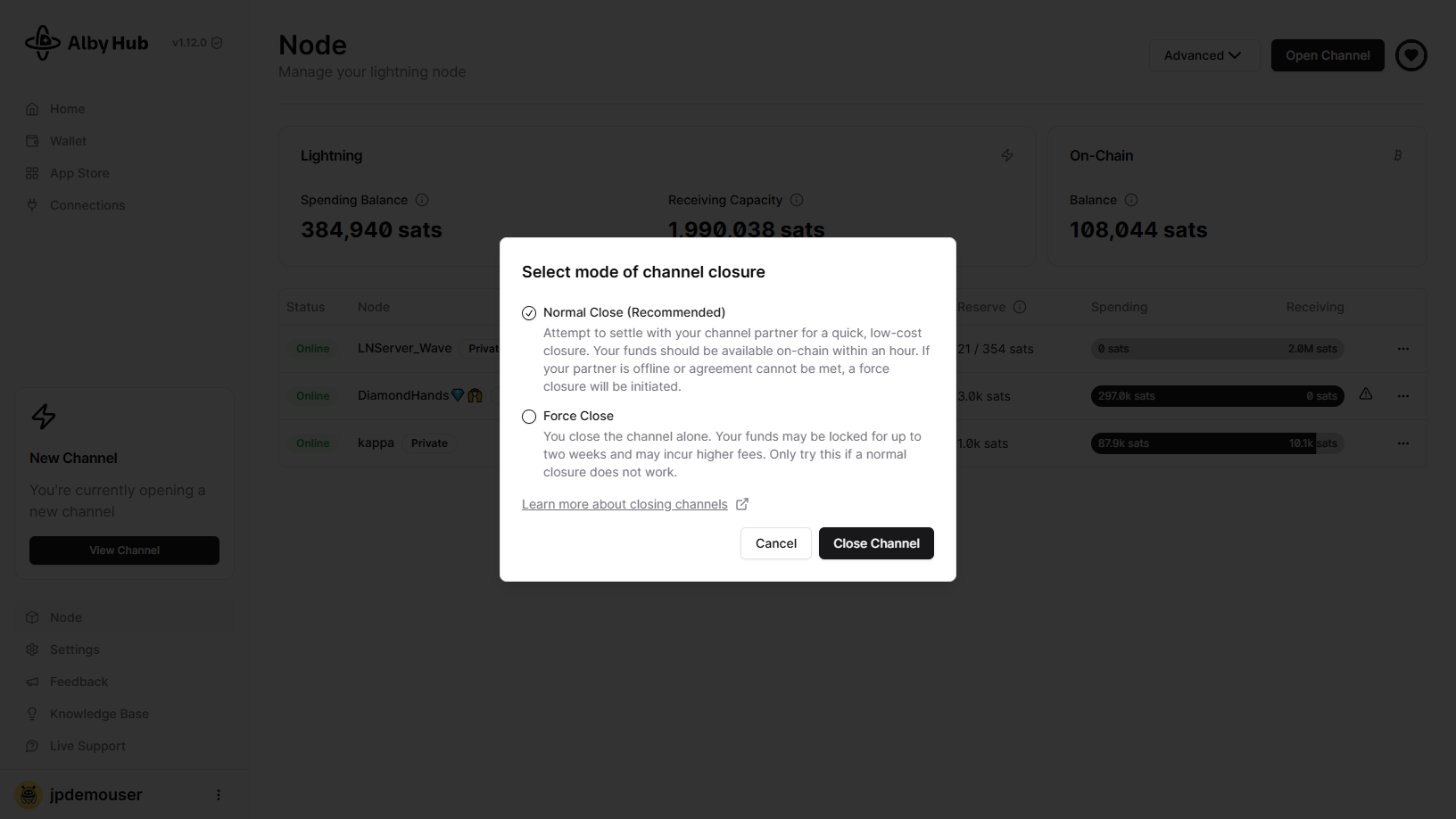
There are two types of channel closures: normal and force close.

Cooperative closures occur when the counterparty is online. The closure can be initiated by you or by your counterparty. When the channel is closed, the funds will be returned to your On-Chain Balance accessible on the Node page of your Hub.

After clicking on "Close Channel" you'll see the following screens to finalize the closing.

"Normal close" is the default option and is recommended. Avoid force closures unless absolutely necessary.
The closing transaction will briefly appear after clicking on "Close Channel".

So, where are my bitcoin?

Channel closed? No worries! Your bitcoin are just taking a little break. 💤🔒

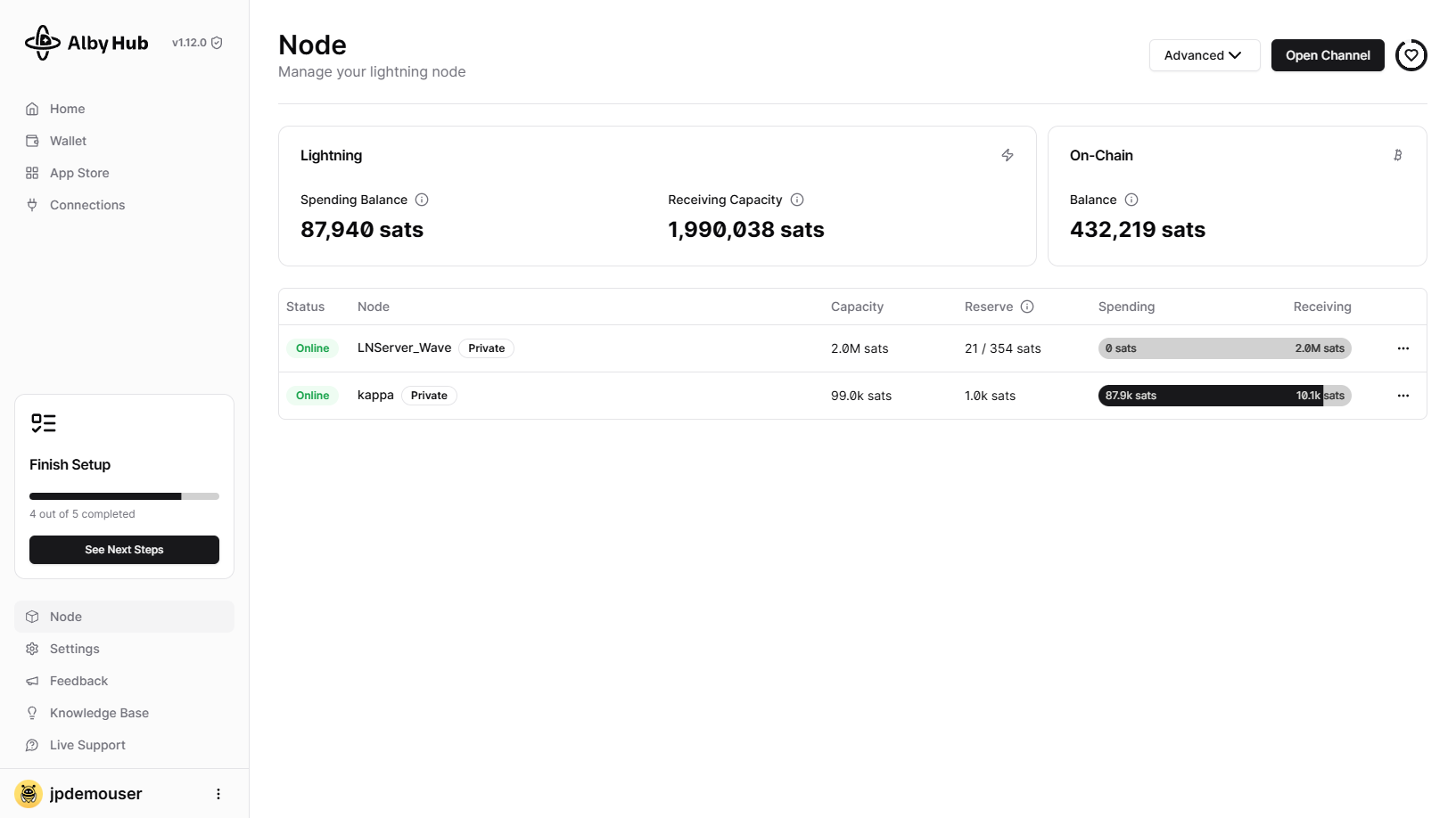
The funds of your channel will appear on the On-Chain Balance of your Alby Hub self-custodial wallet. after waiting the period of time necessary for the channel to be closed. This means the funds will re-appear and be ready to use approximately 60 minutes after a normal close or 15 days after a force close.

Here you can see in the On-Chain Balance where to look for your funds after the channel was closed:

On-Chain Balance are the funds that you have on the bitcoin blockchain
circle-check

Last updated

Was this helpful?